EveryWhere
An app for exploring, planning and booking activities alone, with friends, or with strangers, all in one place
Project overview
As part of my UX/UI Design course, I was asked to design and prototype a mobile app with the goal of helping users discover and book trips and adventures
The outcome is EveryWhere, an application that allows people to discover activities and places, alone or in groups, in any part of the world with specific functions that solve multiple UX challenges
The outcome is EveryWhere, an application that allows people to discover activities and places, alone or in groups, in any part of the world with specific functions that solve multiple UX challenges
Goal
Create the MVP and the product strategy of the app
Team
Mirko Brisotto
Design role
Product Design, UX/UI Design, UX Research, Visual Design, Product Strategy
Industry
Tech, tourism
Duration
6 weeks
Problem statement
Planning and booking activities requires the use of multiple platforms, resulting in a fragmented, frustrating, and confusing experience
The solution
An application where users can search, plan and organize activities easily and efficiently, with a dedicated group section and an individual payment
The app allows users to search, share, and plan in one place, integrating multiple functionalities and helping them achieve their goals faster and more easily
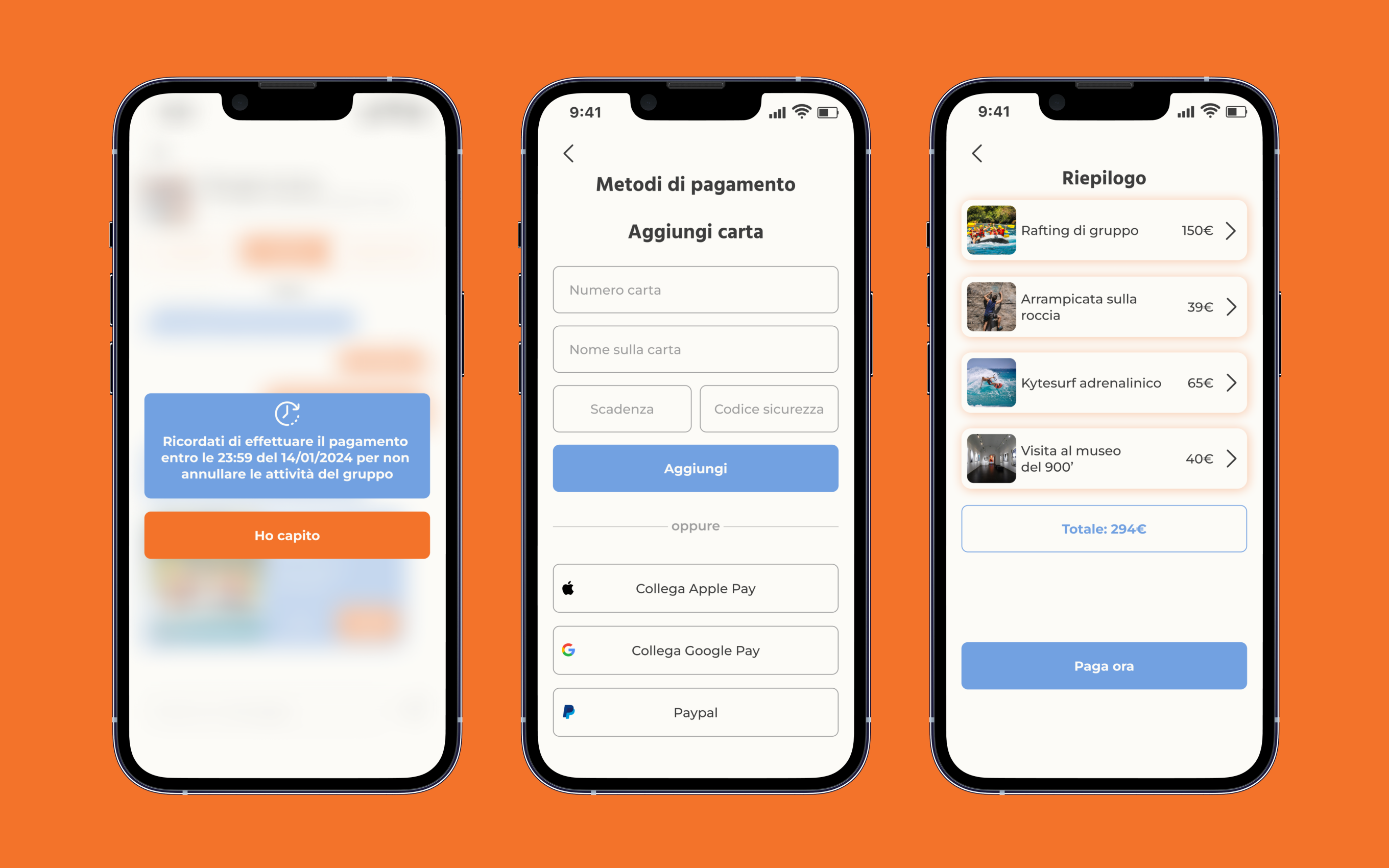
A dedicated group section was included, allowing users to share and book activities together through efficient planning and an individual checkout and payment system
↓ Design process ↓
Design process

Research findings
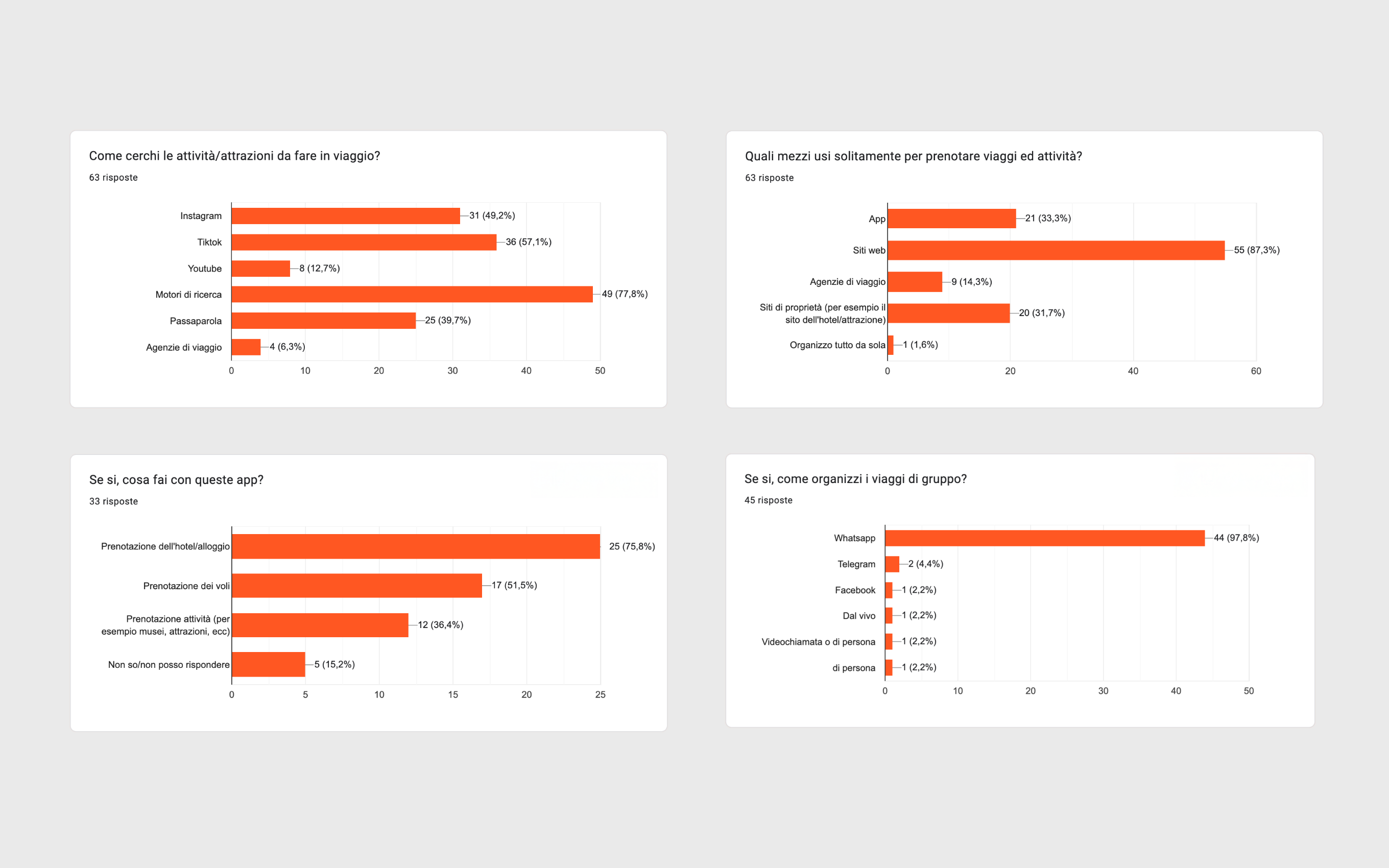
Research revealed that the planning and booking experience is fragmented, due to the lack of a dedicated section for groups
Digital ethnography
Data scraping on: App Store reviews, Google Play reviews Observation on: Reddit, App store reviews
Interviews
User pool: 63 people (18-41+ y.o.)
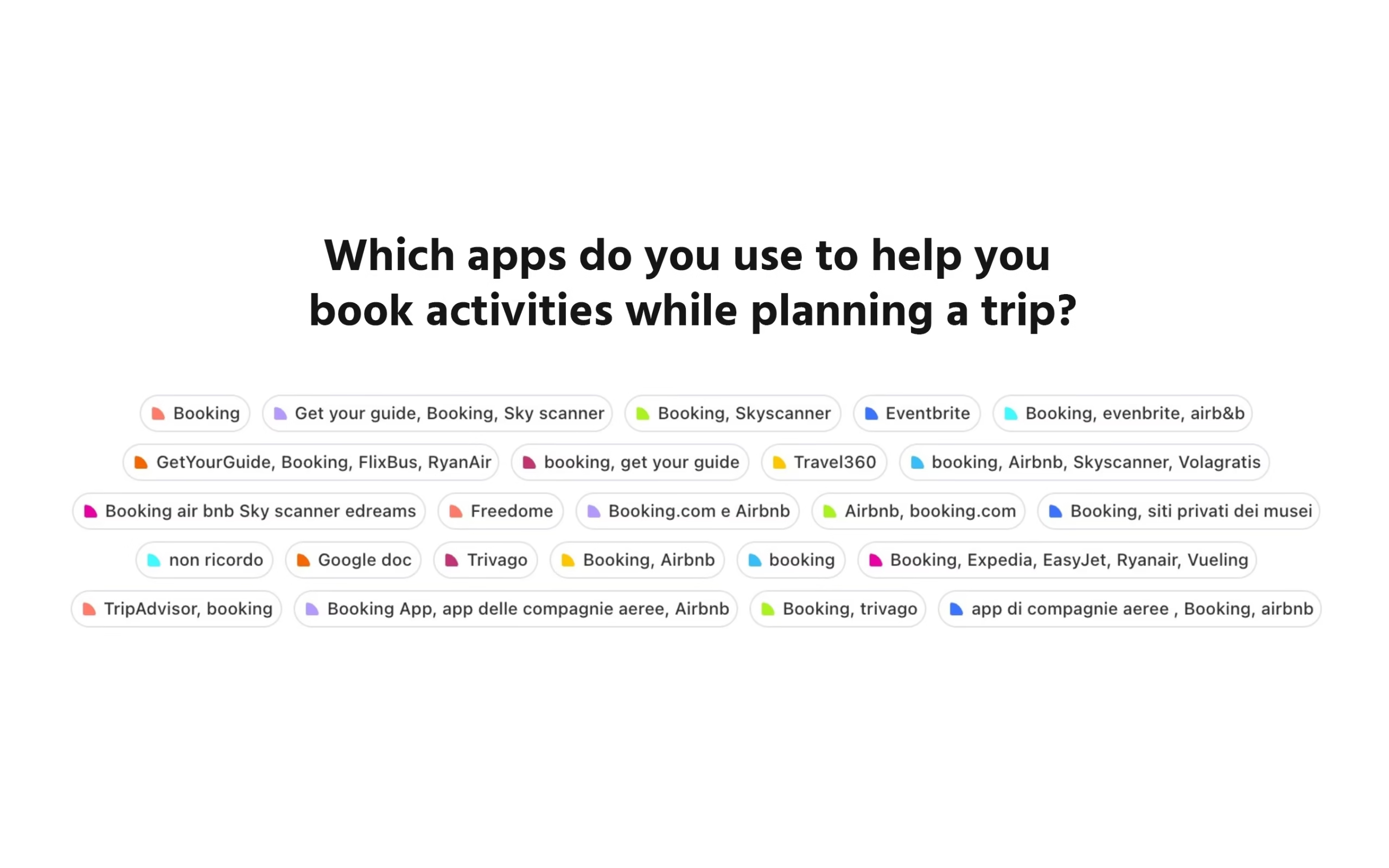
Quantitative research: frequency of behaviors and tools used for the tasks
Qualitative research: planning flow, tools used, pain points
Competitive analysis
Analysis of the leading running platforms: GetYourGuide, WeRoad, TripIt, Booking.com, Airbnb
Personas and scenarios
Based on the research findings, I created three user personas to define needs, behaviors, and scenarios before starting the design of the navigation architecture
Young Explorer

Biography
Gaia, 19, student based in Rome, recently graduated from high school, travels mainly with friends and has a strong interest in sports and outdoor activities
Goal
Organize group trips that combine travel with sports and adventure activities in a simple and flexible way
Key insights
Young users value platforms that help them plan shared experiences quickly, without friction, and that support group decisions
Adventure Seeker

Biography
Marco, 30, factory worker living in Verona, uses travel and outdoor activities as a way to break daily routine and spend time with friends and colleagues
Goal
Easily discover and organize adventurous activities and short trips with others, even on short notice
Key insights
Users with limited free time look for fast and easy inspiration-driven tools that reduce planning effort and help coordinate group activities
Cultural Planner

Biography
Luca, 40, language teacher based in Florence, frequently organizes group trips focused on cultural discovery and language practice
Goal
Plan group trips that combine cultural activities with opportunities for learning and social interaction
Key insights
Experienced travelers prioritize structured planning tools that support group coordination and shared decision-making
Design thinking
HMW implement numerous functionalities while offering an efficient user experience?
Efficient exploration and research
Showing users category-based activities and filters to reduce cognitive load and simplify the exploration of activities and places
Timeline-based organization
A dedicated section where incoming and past trips are displayed, simplifying activity management
Dedicated group section
The group section allows users to chat and share activities without leaving the app, reducing the fragmentation of information and adding selected activities directly to the group before checkout
More control for users
Users can select which activities to complete before checkout, simplifying the booking and payment process while giving users more freedom and flexibility
Individual checkout and payment
Checkout and payment functionalities that allows users full control over which activity choose and handle individually the payment
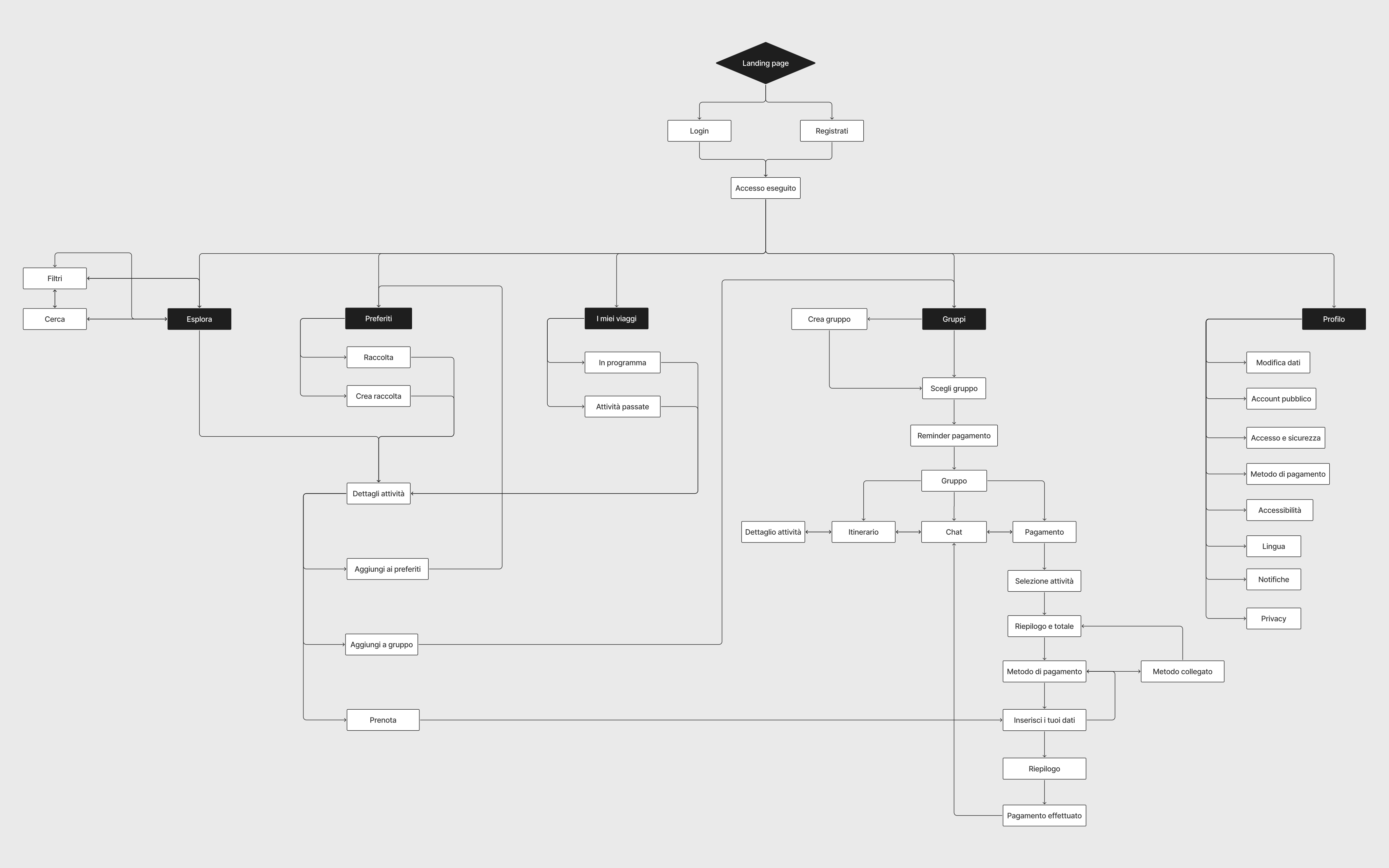
Flows and journeys
I began designing the user flows, implementing the functionalities in dedicated sections of the app, and balancing user behaviours and navigation patterns with the new features
UI and Design System
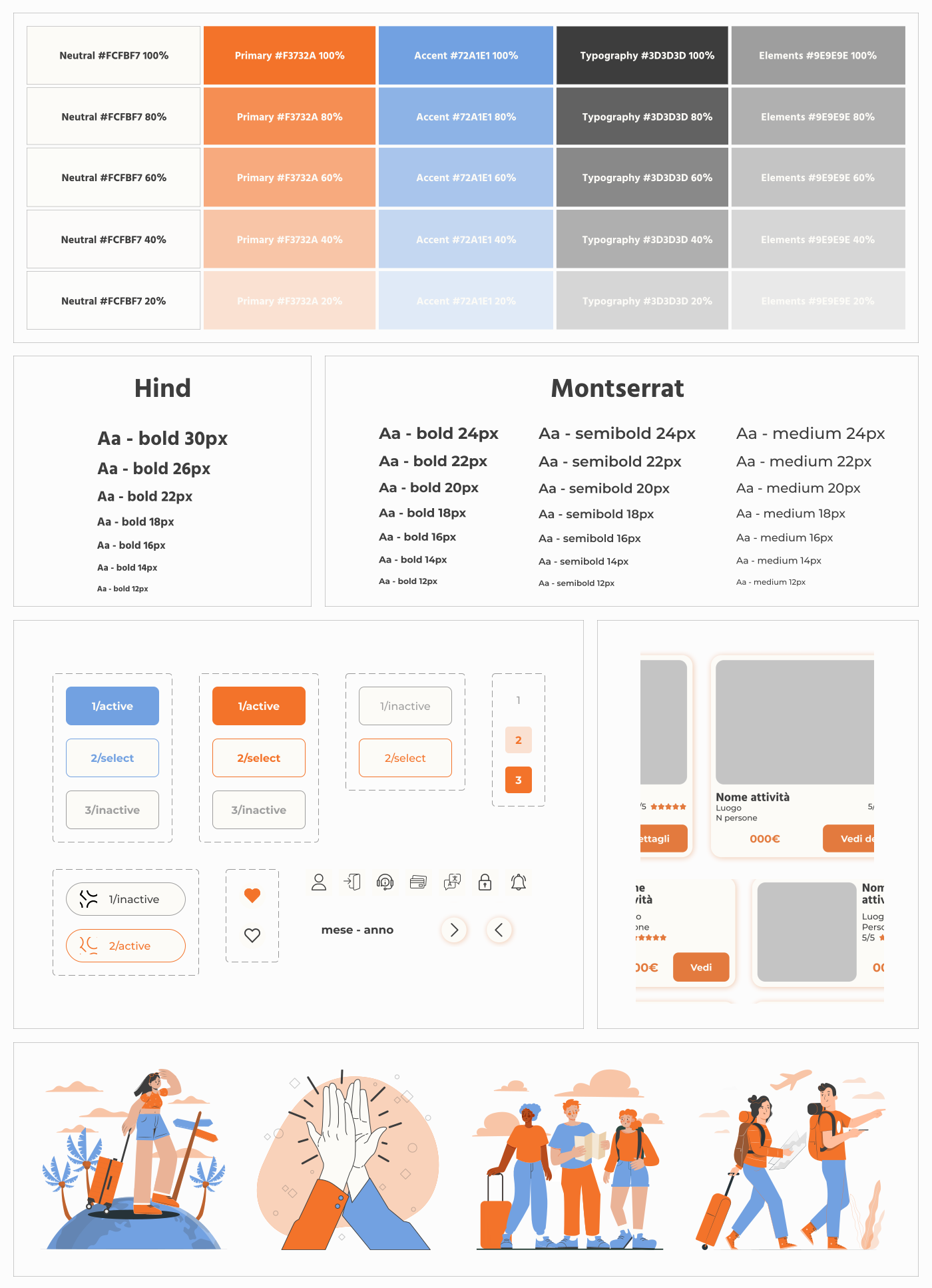
A fresh and modern look with a warm color palette and set of illustrations
Final Design
The final design includes 50+ high-fidelity screens, covering the key flows essential for the MVP
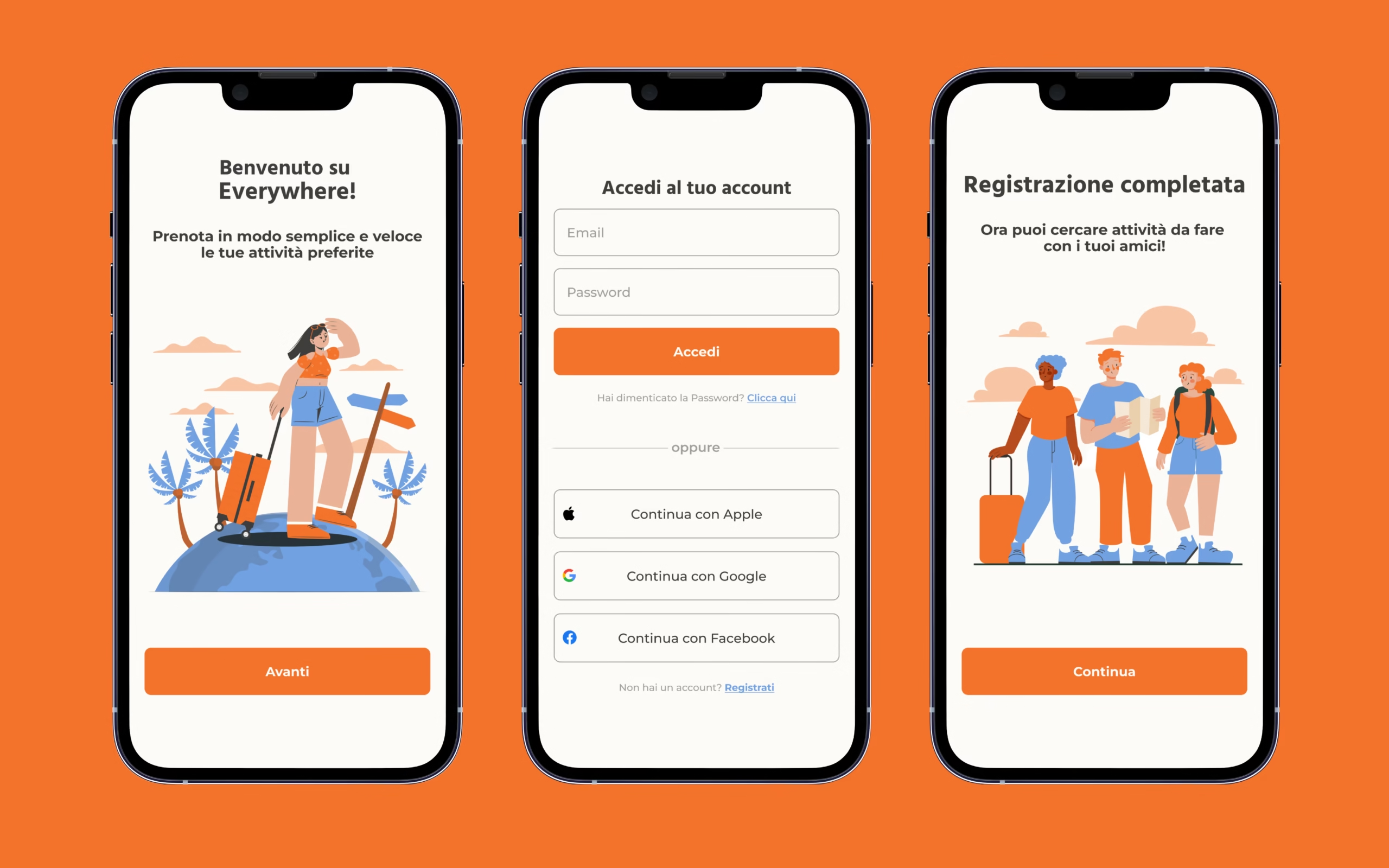
Account creation
01 - Onboarding and login
After the app introduction, users can create their account with their e-mail or social account
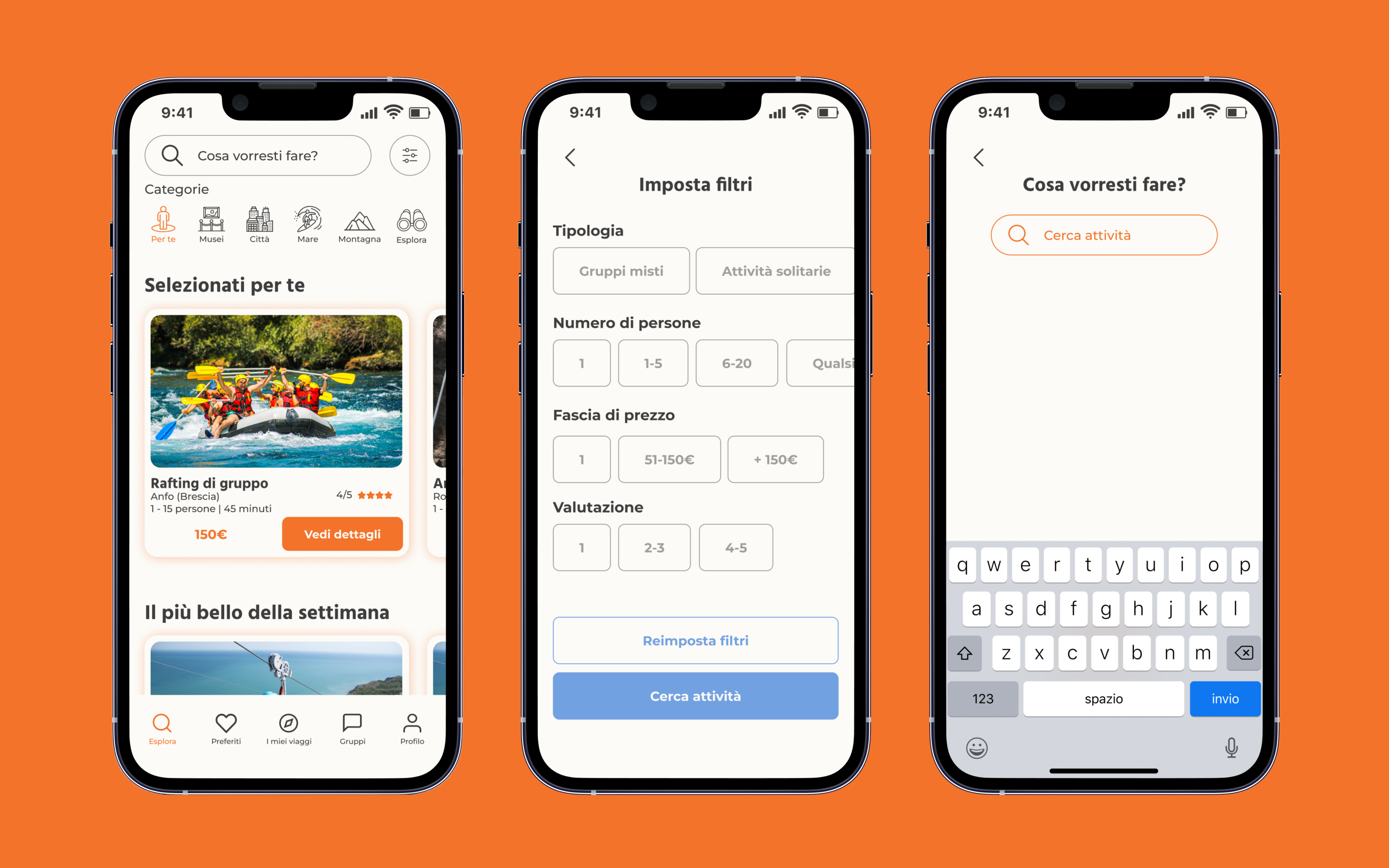
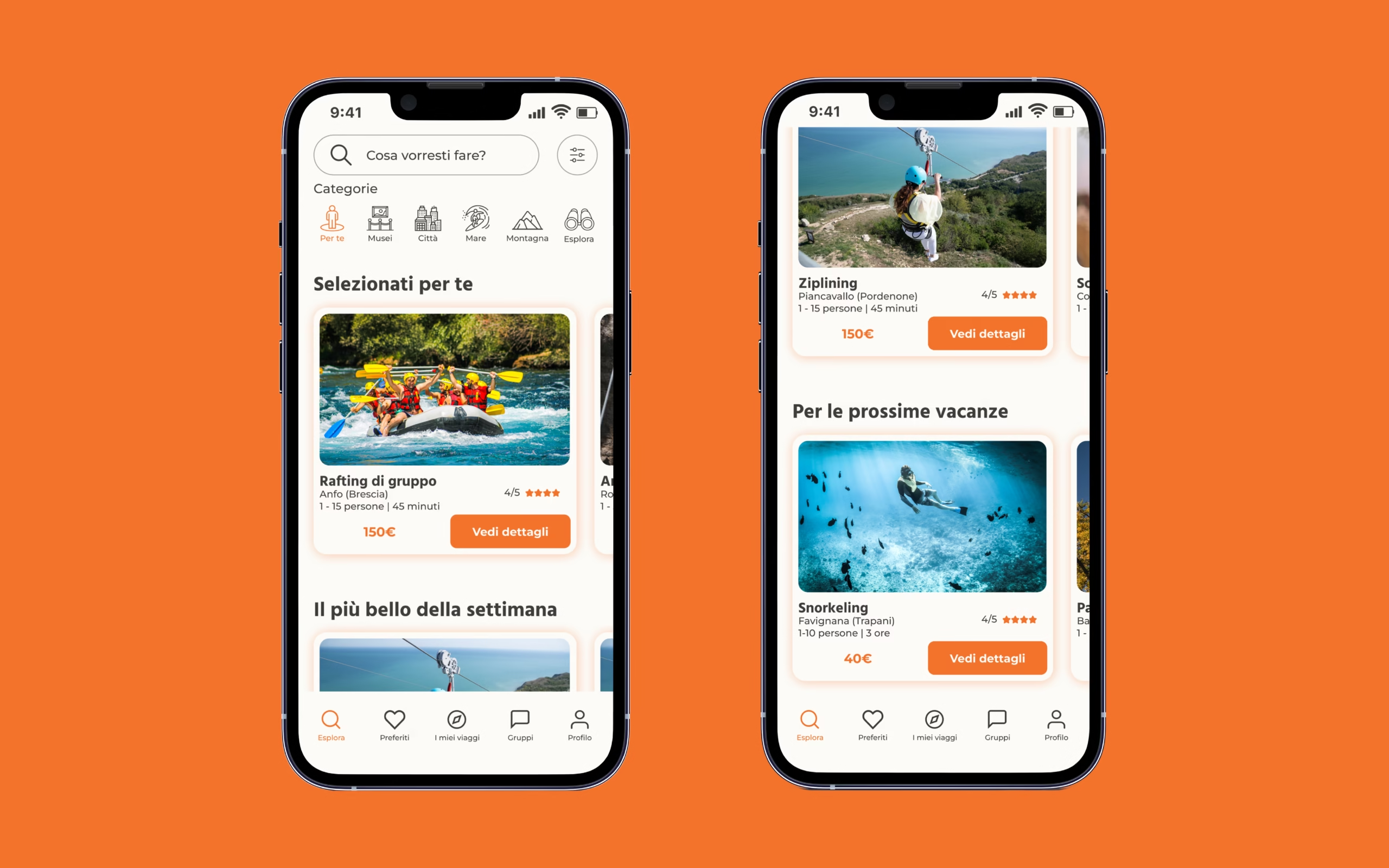
Category-based navigation
02 - Explore
Through data and activity-based informations, the app shows the user activities related to his location and preferences
Users can also explore activities through category-based filters and the search bar
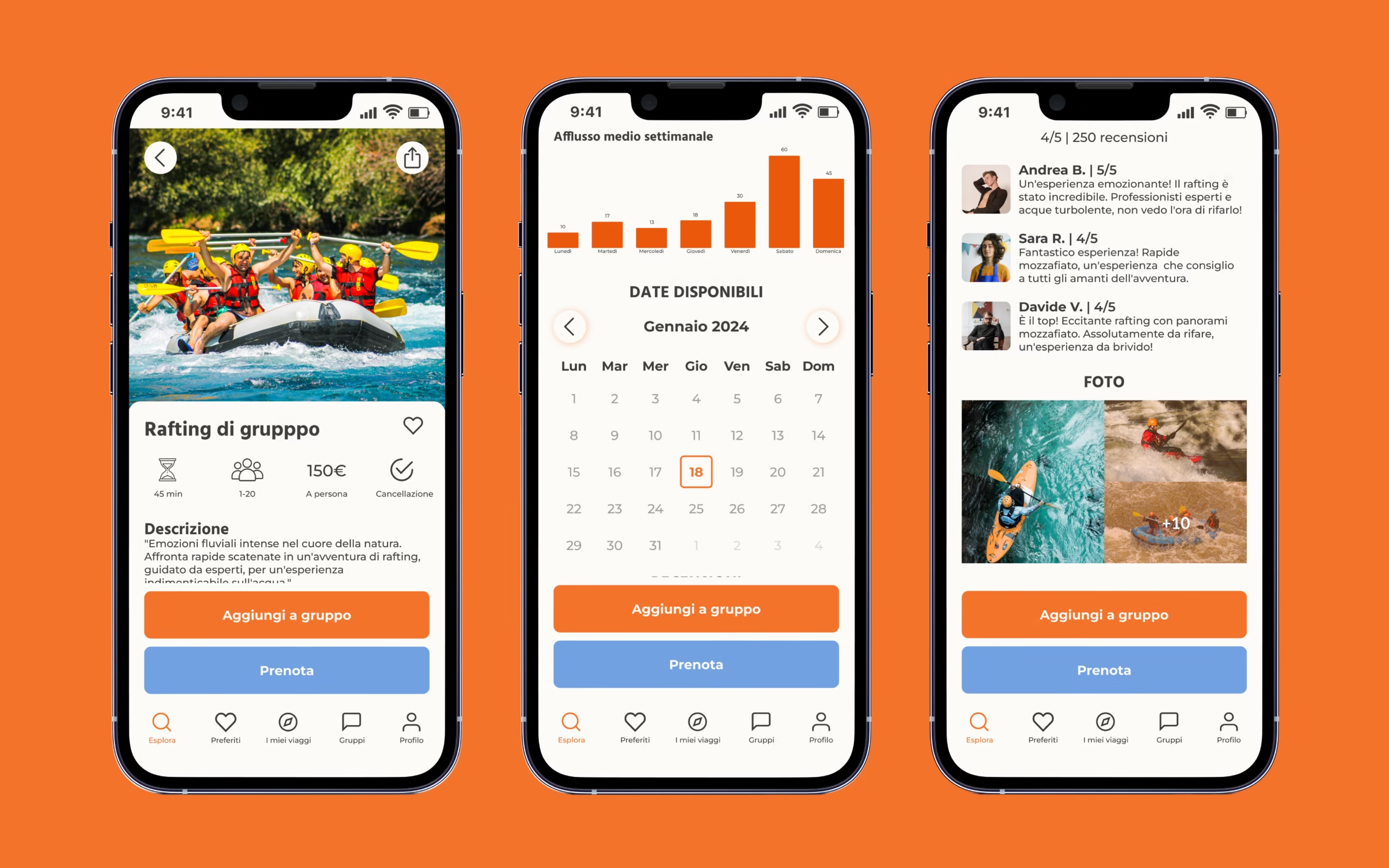
Detail card with relevant informations for user's choice
03 - Activity booking
Every activity has a dedicated section, explaining the most relevant information related to the activity and for the user's interests
Here users can check descriptions, the average weekly inflow, reviews, and photos If the user wants to book the activity, it can select the day and insert it in a trip, group or list
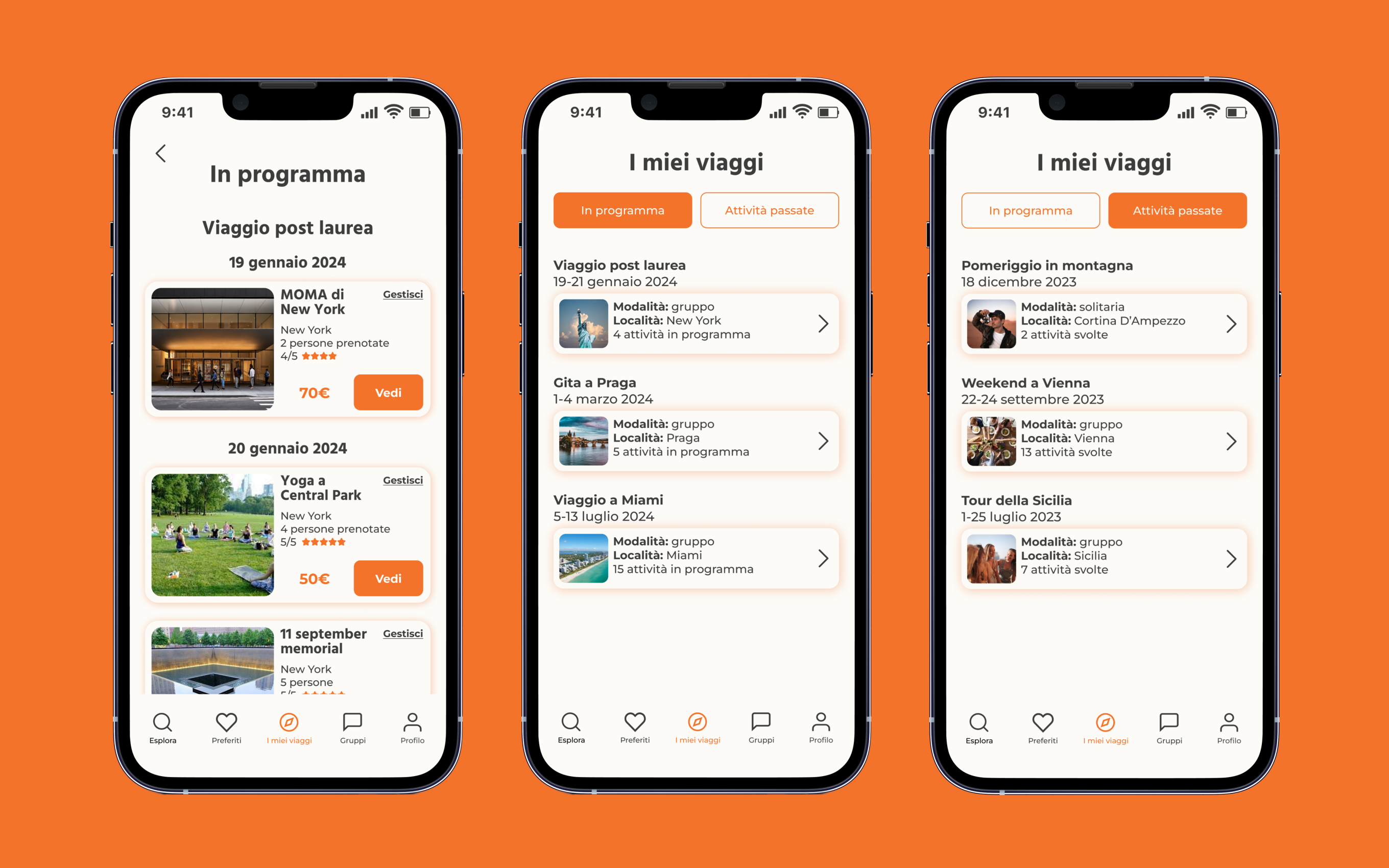
Clear planning flow and history
04 - Planning
Users can easily access at their incoming activities and the past ones, giving a clear and detailed explanation for the incoming activities they've booked
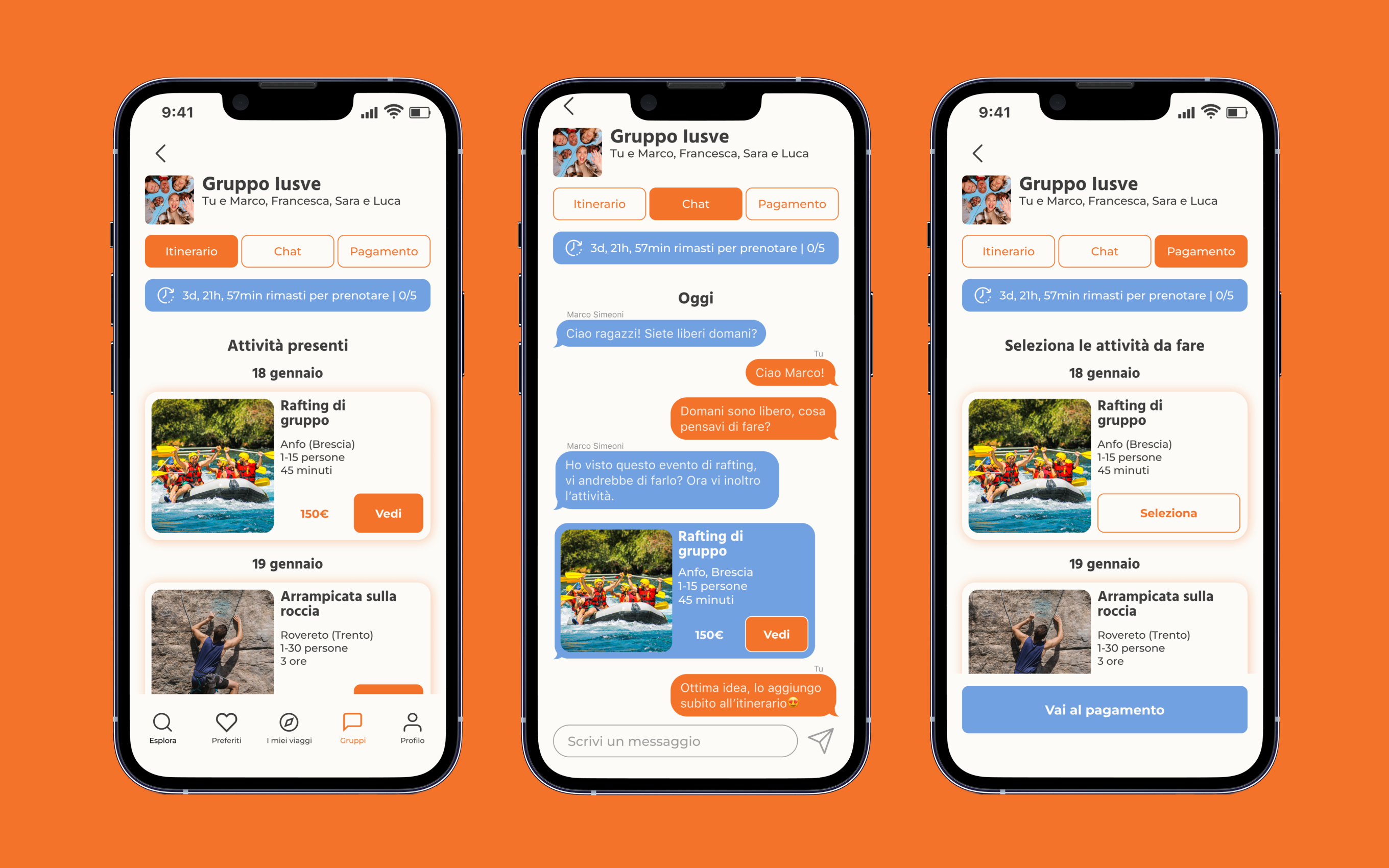
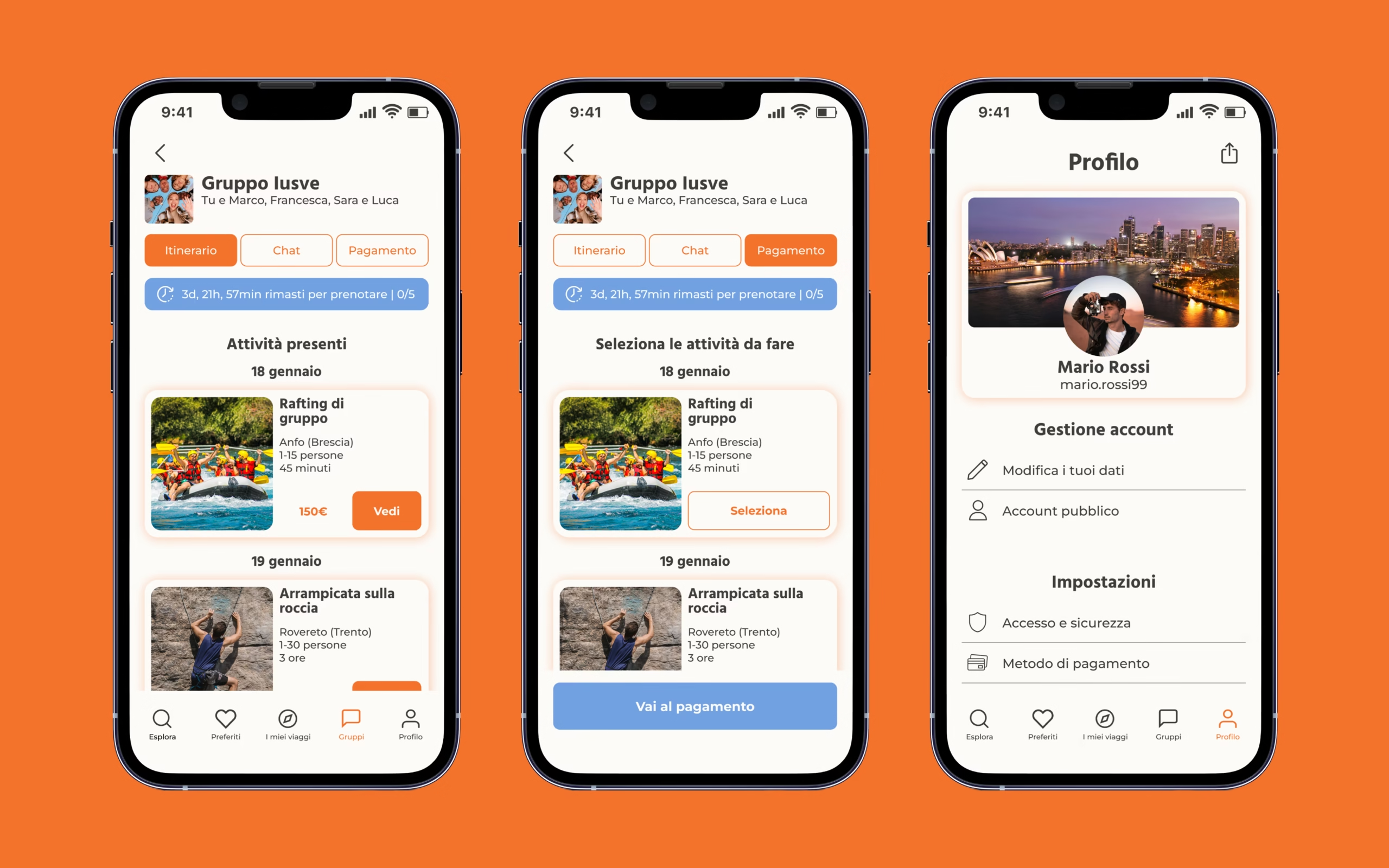
Multiple features for organising group trips
05 - Groups
After selecting the group, users can navigate between three sub-sections: the itinerary, the chat and payment
Every user can add activities in the itinerary section, and there's a reminder to complete the payment before a certain deadline